

For seven years we recommended Quizlet to our students. Every beginner group heard the same line: download it, keep it in your pocket, use it on the bus. It was good advice, and we meant it. Today we're saying goodbye — because what we've been building for years is finally ready: our own flashcard system, SnappyCards.
This was not a sudden idea. Since 2019, when we first wrote about carrying flashcards in your pocket, we've planned vocabulary work with countless students — and it became clear where flashcards do their job, and where they quietly stop working. SnappyCards was built on that difference.
What Quizlet got right — and where we hit a wall
Let's start with what worked, because that list is not short. Quizlet is an excellent record-keeper for vocabulary: you add words quickly, access them from anywhere, and keep order in the mess that otherwise ends up in notebook margins and spreadsheets. That's exactly why we recommended it — and you can still read our earlier guide to flashcards.
Two things, though, kept coming back in student feedback.
The first: you see one card at a time. One word, one translation, next. After a few minutes that rhythm becomes predictable, and anything your brain finds predictable gets less of its attention. The deck runs to the end; the words don't always stay.
The second: the system looks at the outcome — right answer or wrong answer. But the most interesting territory sits between the two: the word you do know, yet spend three seconds hunting for. On paper it counts as learned; in practice it isn't ready to be pulled out mid-sentence.
In its flashcard mode, neither of these is a settings problem. Fixing them takes a different system.
So we built our own
We assumed someone had already solved this. Every tool we tried had something going for it — but none of them fitted the way we teach.
Our starting point was not a feature list but two questions we had been asking ourselves for years. How do you make a student review a word without letting them glide over it on autopilot? And how do you tell whether a word is ready for speech, or merely recognisable?
The system is called SnappyCards, and the method behind it is the Snappy method. In one sentence: this is the flashcard system that restarts your attention with every flip. "Restarts" is meant literally — we wanted a learning loop that cannot collapse into boredom, and that quietly measures where you stand while you use it.
Three cards, one spin
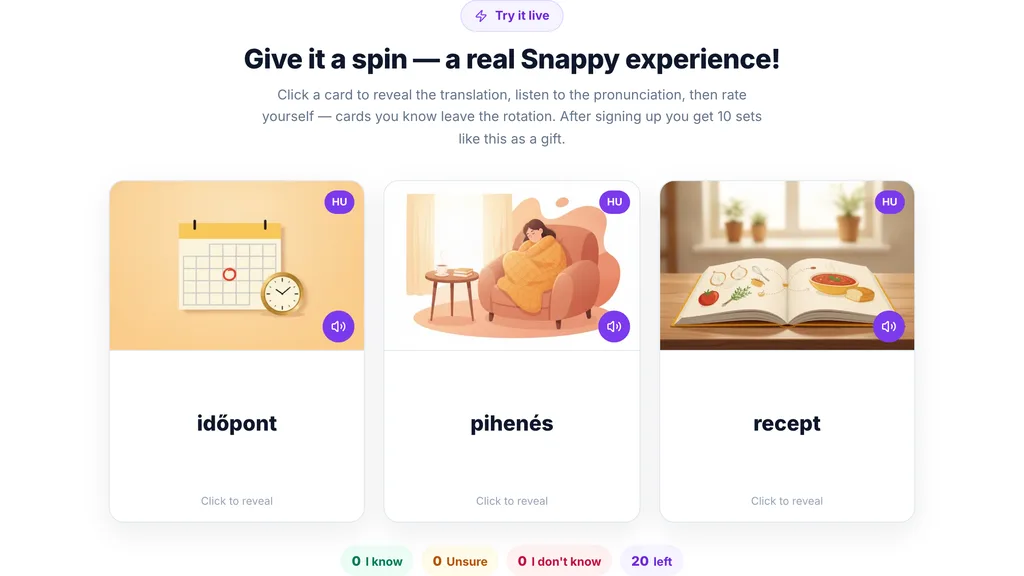
The most visible difference shows up in your first round: it's not one card that turns towards you but one or three — a different mix every time.
That sounds small, yet it's the foundation of the whole method. When three words arrive together you can't settle into an automatic rhythm: every round is a new combination, a new context, a new order. Your brain can't work ahead, so it stays awake, and that is what makes a word stick deeper.
The cards are more than bare word pairs, too. They can carry an image, audio, video and highlighted passages of text. For an abstract expression the highlighted part of an example sentence is often the key; for a concrete object, one illustration beats any explanation.
What your reaction time gives away
The second difference is invisible, and probably the more important one.
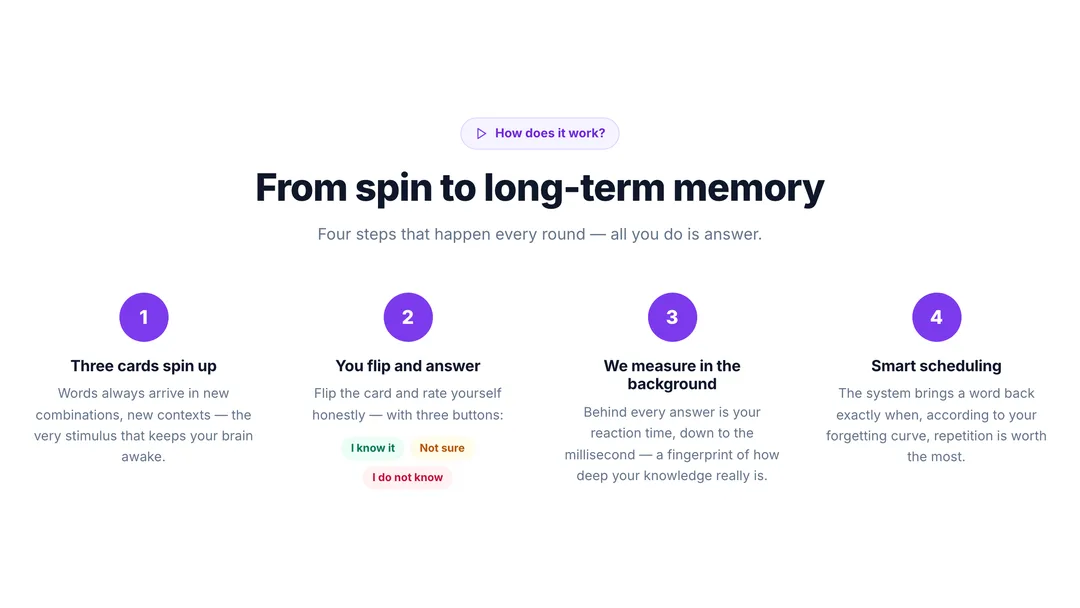
When the cards spin up, you flip them and rate yourself with three buttons: I know it, Not sure, I do not know. So far, familiar. What you don't see: in the background we're measuring how long you thought, down to the millisecond.
Hesitation says more about your knowledge than the final answer does. There is a world of difference between two "I know it" taps when one came in half a second and the other took four. The first word is yours; the second you are still searching for — and those are exactly the words that stall you in conversation.
The system uses that measured reaction time to schedule your revision, bringing a word back according to your own forgetting curve, at the point where repetition is worth the most. It tracks your knowledge separately in each direction, and what you have genuinely learned drops out of the rotation instead of stealing more of your time.
Those four steps — spin, self-assessment, measurement, scheduling — happen every round, and all you have to do is answer. With the Snappy method, learning is 37% faster. To see how that feels, try it live — a few cards are already spinning on the front page.
You no longer make your own cards
There is one stage of flashcard learning nobody enjoys: the stage before you have any cards, when the list sits in a notebook waiting to be typed in.
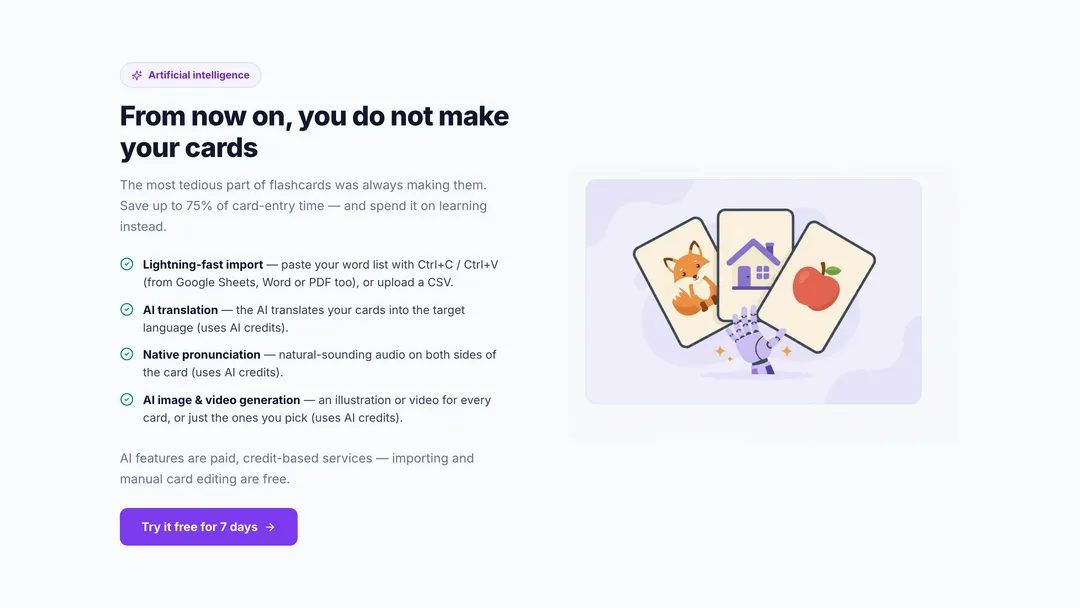
That part has essentially gone. You paste your list straight in — from Google Sheets, Word or a PDF — or upload a CSV, and the cards are built. From there the AI takes over: it translates them into the target language, adds natural-sounding native pronunciation to both sides, and generates an illustration or a video for every card, or just the ones you pick. That can cut the time card creation takes by up to 75%.
One thing is worth being clear about: the AI features are paid, credit-based services. Importing and editing cards by hand are free, so your own list can become a study-ready deck at no cost.
36 languages, three interface languages
With us you're learning English, but the system was not built for English alone: you can create cards in 36 languages. So if German turns up at work, or Spanish before a holiday, you won't need another app.
The interface comes in Hungarian, English and Thai, and switching happens without a page reload. Beginners can start in their first language and move to the English interface once it feels comfortable — a few extra minutes of English every day.
For teachers and schools
SnappyCards was not built for students only. As a teacher you create a group, invite students with a link or by email, and share your word sets in a single click. Then you can follow, live and word by word, which items have settled and which word half the group is still hunting for. You don't need a school behind you — it works just as well if you teach privately.
At school level it goes further: register the institution, invite teachers by email, manage your whole faculty, see school-wide progress. Role-based access, an event log and GDPR data export come with it. The details are on the teachers' page: snappycards.app.
On your phone, without the app store
SnappyCards runs in the browser, but it doesn't have to look like one. A single tap puts it on your phone's home screen, and from then on it opens like any other app — no app store, no download, nothing to update.
There is a pleasant side effect, too: you're always on the latest version. Nobody ends up studying in a six-month-old build because they forgot to update.
What this means if you study at Café English
The headline first: SnappyCards is free for our students. No separate subscription needed.
The second thing, and the reason this beats a generic flashcard app: we build the word sets around your lessons. The vocabulary from Thursday's speaking practice doesn't get lost in a notebook — it will be on your phone as cards, and the system will keep bringing it back until you have genuinely learned it.
For corporate training there is a third layer: HR sees the team's progress as a heat map, so results can be tracked from data rather than impressions — while there is still time to adjust.
How to get started
The simplest thing is to try it. There is a free plan, so you can start without paying anything, and the paid plans come with a 7-day free trial before you decide whether you need them.
After you sign up you get 10 word sets as a gift, so no empty screen greets you: the first cards are already spinning when you log in.
One piece of advice: don't load three thousand words on day one. Start with the list that actually matters right now — your last lesson, a topic from work, the vocabulary for your next trip. Run the rounds for a few days and see what stays. That will tell you more than anything we can write here.
After seven years we're parting with Quizlet with some affection — but we only replaced it because there is finally something to replace it with.
Sign up to SnappyCards for free and spin your first deck today. If you're one of our students, tell your teacher and we will connect your account to the word sets from your lessons.